Everything you need to get set up, access Converge+ Scan, and maximize your post-event Converge+ Insights at DTECH.
Follow the steps below to get started.
1. Register Your Team
Register Your Team
Please register all team members who will need to be assigned a Converge+ Scan license. You can access your exhibitor registration portal through the Exhibitor Resource Center.
Your company admin will receive a setup email from DTECH (synopsis-exhibitors@roziesynopsis.com) with the subject line: ‘Action Required: Complete Your Converge+ Setup’
✅Setup Checklist
Assign scan licenses to onsite team members (required)
Add up to 3 Lead Qualifying Questions (optional)
Create customized email templates for personalized outreach (optional)
Review and add products (optional)
Lead Qualifying Questions (LQQs) help your team prioritize and segment prospects in real time during the event.
3. Access Converge+ Scan
Access Converge+ Scan
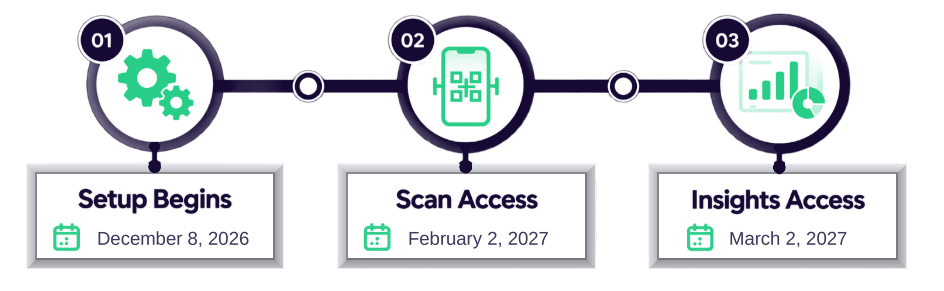
All licensed Converge+ Scan users will receive an email with instructions for downloading the Converge+ Scan app on February 2, 2027.
Once logged into the app, simply click the round button with the scan icon to scan a badge.
4. Access Converge+ Insights & Export Leads
Access Converge+ Insights & Export Leads
Company admins will receive access to Converge+ Insights to review, filter, and export leads from the event.
With Insights Basic, access is limited to 1 company admin login.
Contact converge@clarionevents.com if you’re interested in more details or scheduling a live demo with our Converge+ expert. With Insights Basic, access is limited to 1 company admin login.
Need Support?
We’re here to help ensure your Converge+ success at DTECH. For questions or concerns, please reach out to our Exhibitor Services Team at dtech.es@clarionevents.com.

)